
What Is Pixel Pitch on an LED Display And Why Does It Matter for Your Business?
If you have ever walked past an LED screen and thought, "Why does that one look so sharp while this one looks blurry?" Pixel pitch is usually the answer.
Whether you are setting up a display for a Dallas retail store, a corporate lobby, a concert venue, a sports facility, or a church, understanding pixel pitch will help you determine the best way to spend your money on a screen that fits your setting. Pixel pitch is easy to explain. Let us break it down.
What Is Pixel Pitch?
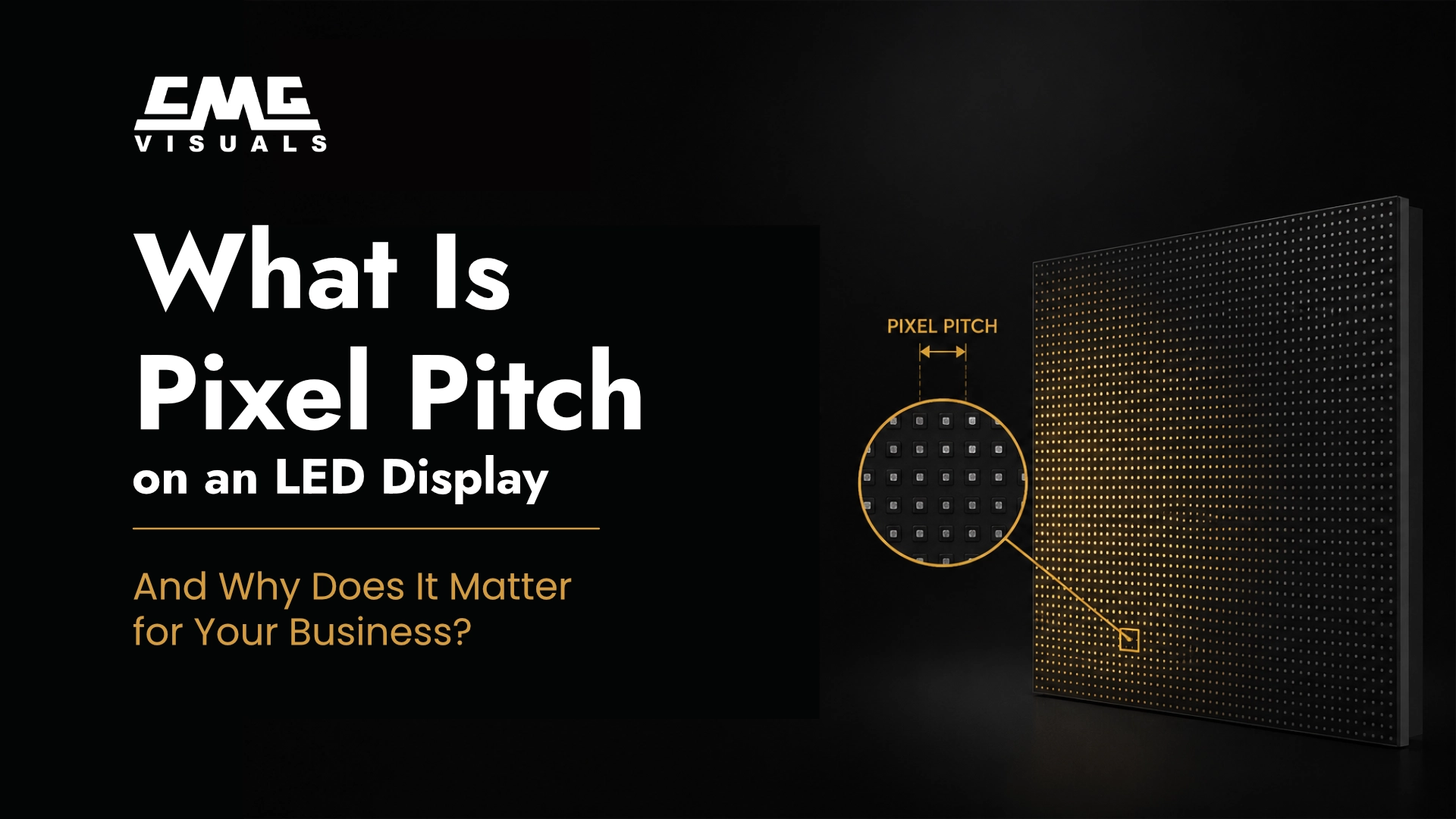
Pixel pitch is the distance, in millimeters, between two pixels on an LED module.
A smaller number means the pixels are close together, while a larger number means the pixels are spread out.
Quick examples:
- P0.9 (0.9 mm pixel pitch): Ultra-sharp, ideal for indoor displays viewed from just a few feet away
- P1.9 (1.9 mm pixel pitch): Great for lobbies, event stages, or retail displays
- P10 (10 mm pixel pitch): Built for outdoor billboards and large venues where viewers are far away
Why Pixel Pitch Affects What You See
Image Sharpness
A display with a small pixel pitch looks crisp and clean, even when you are standing right in front of it. Text is easy to read, logos look clean, and videos are sharp.
When viewing a display with a large pixel pitch up close, you will see pixels. However, if the display is large enough, your eyes will focus on the whole image rather than on the individual dots.
Viewing Distance
Here is the part that trips up many buyers: pixel pitch and viewing distance go hand in hand. The rule of thumb is simple: the smaller the pixel pitch, the closer your audience can stand without noticing any pixelation.
Recommended Viewing Distances:
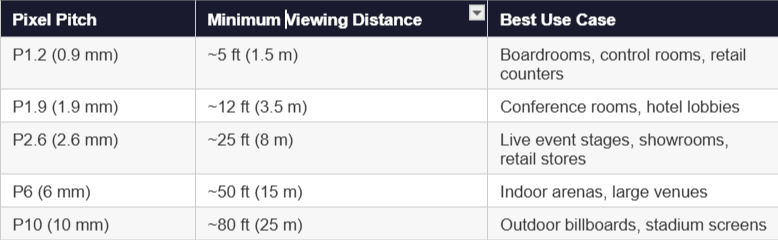
Note: Minimum viewing distances are approximate and based on industry standards. Contact CMG Visuals for a site-specific recommendation.
Indoor vs. Outdoor LED Displays: Does Pixel Pitch Change?
Yes, and this is important.
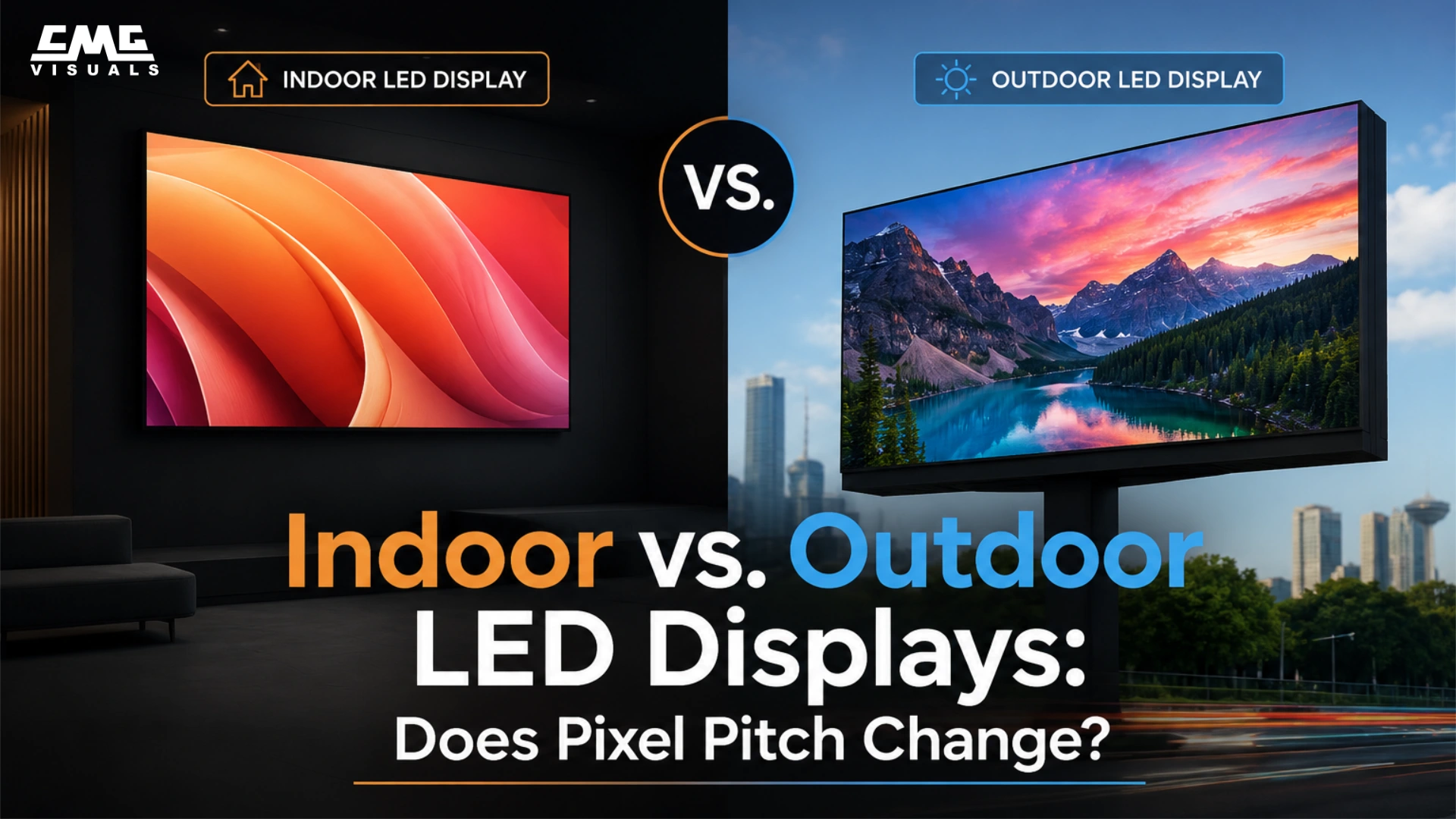
Indoor LED displays are usually viewed up close, so they use smaller pixel pitches (P0.9 to P2.6) to keep images sharp. They also use COB (Chip-on-Board) or SMD (Surface-Mounted Device) LEDs, which can easily be placed close together for high-resolution displays.
Outdoor LED displays compete with sunlight, so they prioritize brightness and durability. They typically use larger pixel pitches (P6 to P16) because viewers are farther away, like across a parking lot or down the street. Think of the big screens you see on the North Central Expressway or along I-35 here in Dallas. The LED technology on most billboards is DIP, and is an older form of display technology, but can easily go above 10,000 nits in brightness.
How Pixel Pitch Affects Your Content
Pixel pitch is not just a technical spec; it directly shapes how your content looks on screen.
- Text and fine print: Smaller pixel pitches keep text sharp and easy to read, even at small font sizes. This matters a lot for menu boards, wayfinding signs, and product displays.
- Video playback: Tighter pixel spacing means smoother motion and cleaner edges on video content.
- Logos and graphics: High-detail graphics look crisp on low-pitch displays. On higher-pitch screens viewed too close, they can look blocky.
The takeaway: match your pixel pitch to how close your audience will actually be standing to the screen.
How to Choose the Right Pixel Pitch for Your Space
Here are four simple questions to guide your decision:
1. How far away will most viewers be?
This is the most important factor. If your audience is within 10 feet of the screen, go with P0.9 to P1.9. If they are 30+ feet away, P2.6 or higher works great.
2. Is the display indoors or outdoors?
Outdoor displays require brighter LEDs, and typically, it's hard to find high-brightness LEDs in small pitches. Indoor displays prioritize detail over brightness.
3. What type of content will you be showing?
Static images and text? You have more flexibility. High-motion video or detailed graphics? Lean toward a smaller pixel pitch.
4. What is your budget?
Smaller pixel pitches cost more because they require more LEDs per square foot and more precise manufacturing. Do not over-invest in a P1.2 screen if your audience will always be 50 feet away; a P2.6 will look just as good at that distance and cost significantly less.
Real-World Examples from Dallas Businesses

Corporate Office Lobby
A Downtown Dallas financial firm recently upgraded its lobby display to a P1.5 indoor LED screen. Visitors walking in get sharp, professional content from 8 to 15 feet away. The client wanted the screen to reflect their brand quality, and the tight pixel pitch delivered exactly that.
Outdoor Retail Signage
A retail center near Frisco wanted an outdoor LED display visible from the parking lot, roughly 60 to 80 feet away. A P6.67 outdoor display hit the sweet spot: bright enough to cut through Texas sunlight, clear enough to read from the lot, and priced right for their budget.
Event and Concert Venue
For live events, stage displays typically use P2.6 to P3.9 panels. Artists and presenters are viewed from 15 to 50 feet in a typical venue. This range gives you rich color and sharp detail without overpaying for ultra-fine pitch.
Frequently Asked Questions About Pixel Pitch
Q: Can I use a 10 mm pixel pitch screen indoors?
Technically, yes, but it will look pixelated if viewers are within 75 feet. For most indoor settings, we recommend staying at P2.6 or lower.
Q: How do I calculate the right viewing distance for my space?
A simple way to estimate: multiply the pixel pitch (in mm) by 8 to get the minimum comfortable viewing distance in feet. So a P3 screen has a minimum viewing distance of about 24 feet. This is a rough estimate; our team at CMG Visuals can do a full site assessment for a precise recommendation.
Q: Does a smaller pixel pitch mean a brighter screen?
Not exactly. Larger-pitch screens tend to use bigger LEDs, which produce more raw brightness, which is why outdoor displays use them. Smaller-pitch screens prioritize resolution over brightness, which works well indoors where ambient light is controlled.
Q: Are smaller pixel pitches always better?
Only if your viewers are close enough to benefit. If your audience is 50 feet away, spending extra on a P1.5 screen instead of a P2.6 is wasted money; they will not see a difference. Choose pixel pitch based on viewing distance, not just specs.
Q: Can I mix different pixel pitches in one installation?
It is possible, but not recommended. Mixing pitches can cause visible inconsistencies in brightness and resolution across the display. For a seamless look, stick with one consistent pitch throughout. Mixing pitches only works if the audience is far enough away to not see the pixels of the largest pitch screen
The Bottom Line
Pixel pitch is one of the most important specs to get right when choosing an LED display, but it is not complicated once you know how to apply it.
Match the pixel pitch to your viewing distance, factor in whether you are indoors or outdoors, and balance your resolution needs with your budget. Do that, and your LED display will look exactly the way it should.
At CMG Visuals, we work with Dallas businesses every day to find the right display solution for their specific space. Whether you are outfitting a retail store in Uptown, an arena in Fort Worth, or a corporate campus in Plano, we will help you get the pixel pitch right.